An AI-native NEPA workspace
ePlan
2025–2026
- Role
- Product design (web + mobile), design system
- Timeline
- 2025–2026
- Platform
- Desktop web app · Mobile app · Marketing site
- Stack
- Figma · Next.js · Vercel AI SDK · Claude Agent SDK · Leaflet / GIS
“One example is his work on a platform for the US Forest Service focused on wildfire risk mitigation, a complex, high-impact project that shows both his versatility and ability to deliver. Patryk owned the process end to end and navigated every stage with confidence, from research and prototyping to user testing and final delivery.”
Kacper Majerowicz·Senior Technical PM
Live product
eplan-landing-beta.vercel.appDesigned the app and the marketing site, then vibe-coded the landing to production. As with all client work, final decisions on style and copy stay with the client.
ePlan is an AI-native workspace for NEPA, the US environmental-compliance process that traditionally eats weeks of research and document drafting per project. It runs on the TurboChat platform by Wildfires. A chat and a background research agent turn that grind into a guided workflow. I designed the desktop product, the mobile app and the design system.
Overview
NEPA work is slow, document-heavy and locked behind expertise. Planners dig for precedent projects, draft rigorous regulatory documents and juggle multi-phase timelines. ePlan turns most of that into a conversation. My part was designing agentic UX that people can actually trust in a field where a wrong citation has real consequences.
The problem
Environmental planners at agencies like the US Forest Service spend weeks per project. They hunt for similar past work, draft categorical exclusions and environmental assessments, and coordinate timelines across teams and contractors. Expert work stuck in slow, manual tooling.
An AI that drafts regulatory documents has to earn its trust. If it invents a precedent or a citation, the result is worse than nothing, because a human still has to catch it. So the interface had to show what the agent was doing and where it got the answer from, not just hand back a document.
The solution
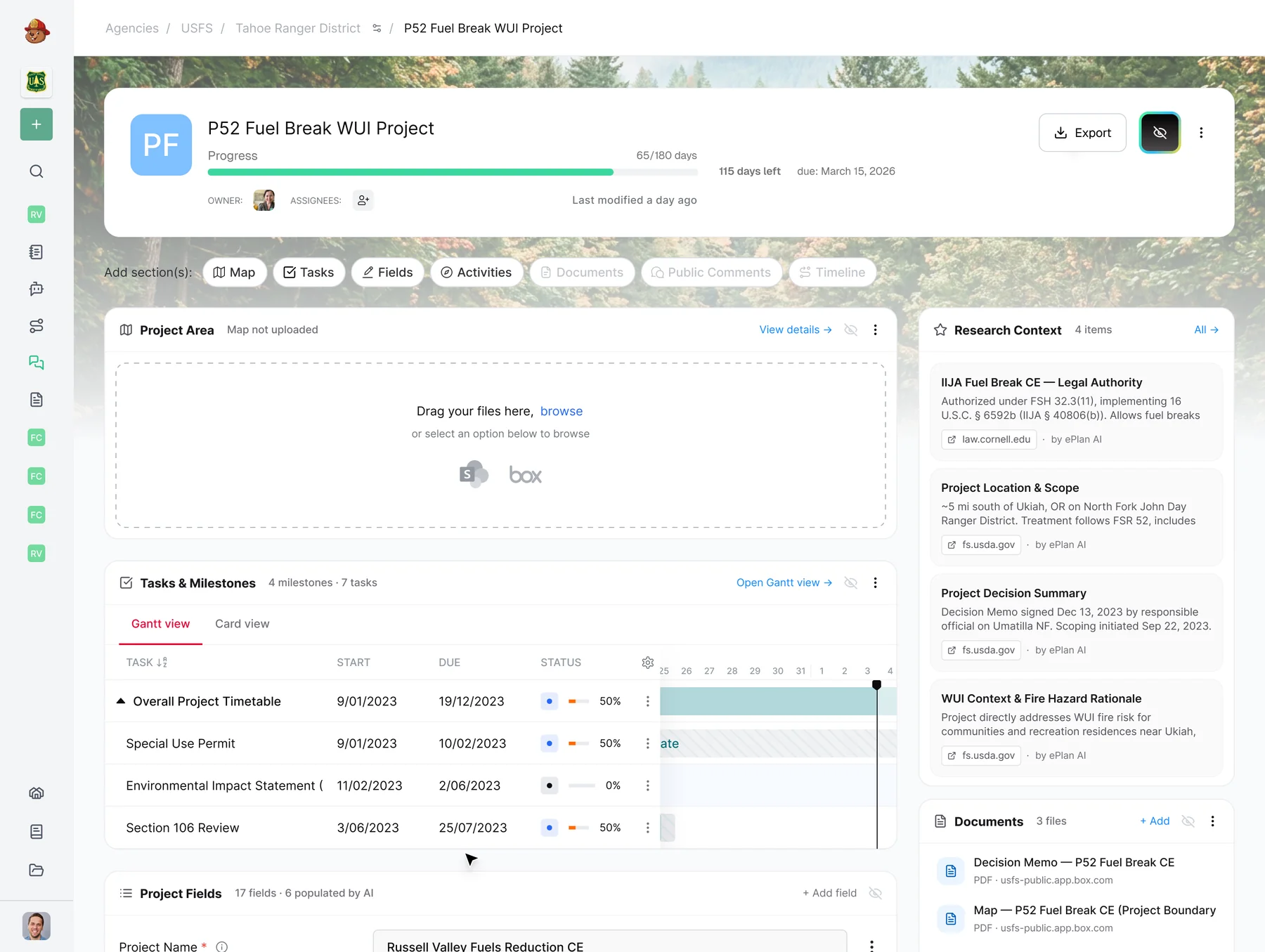
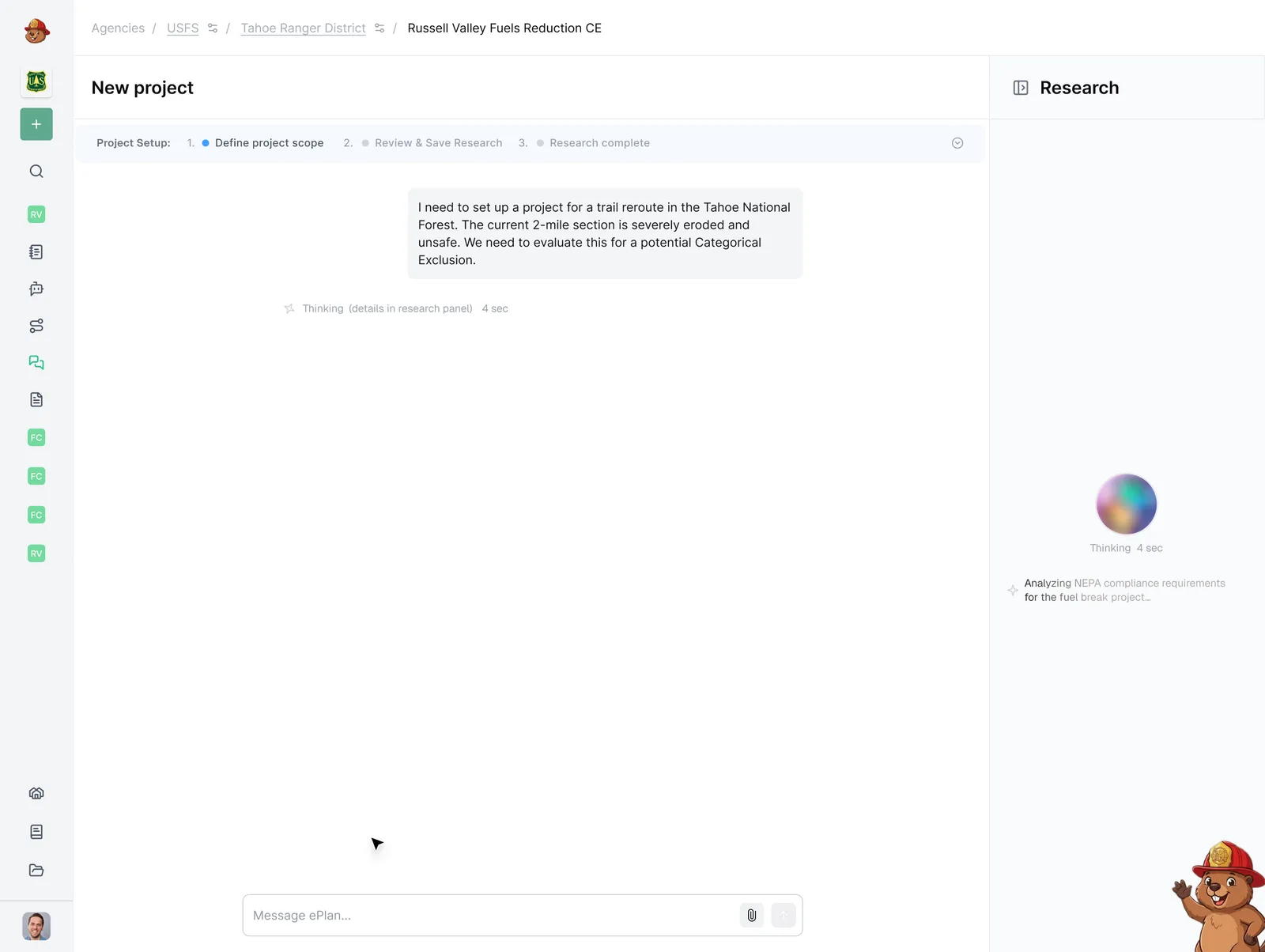
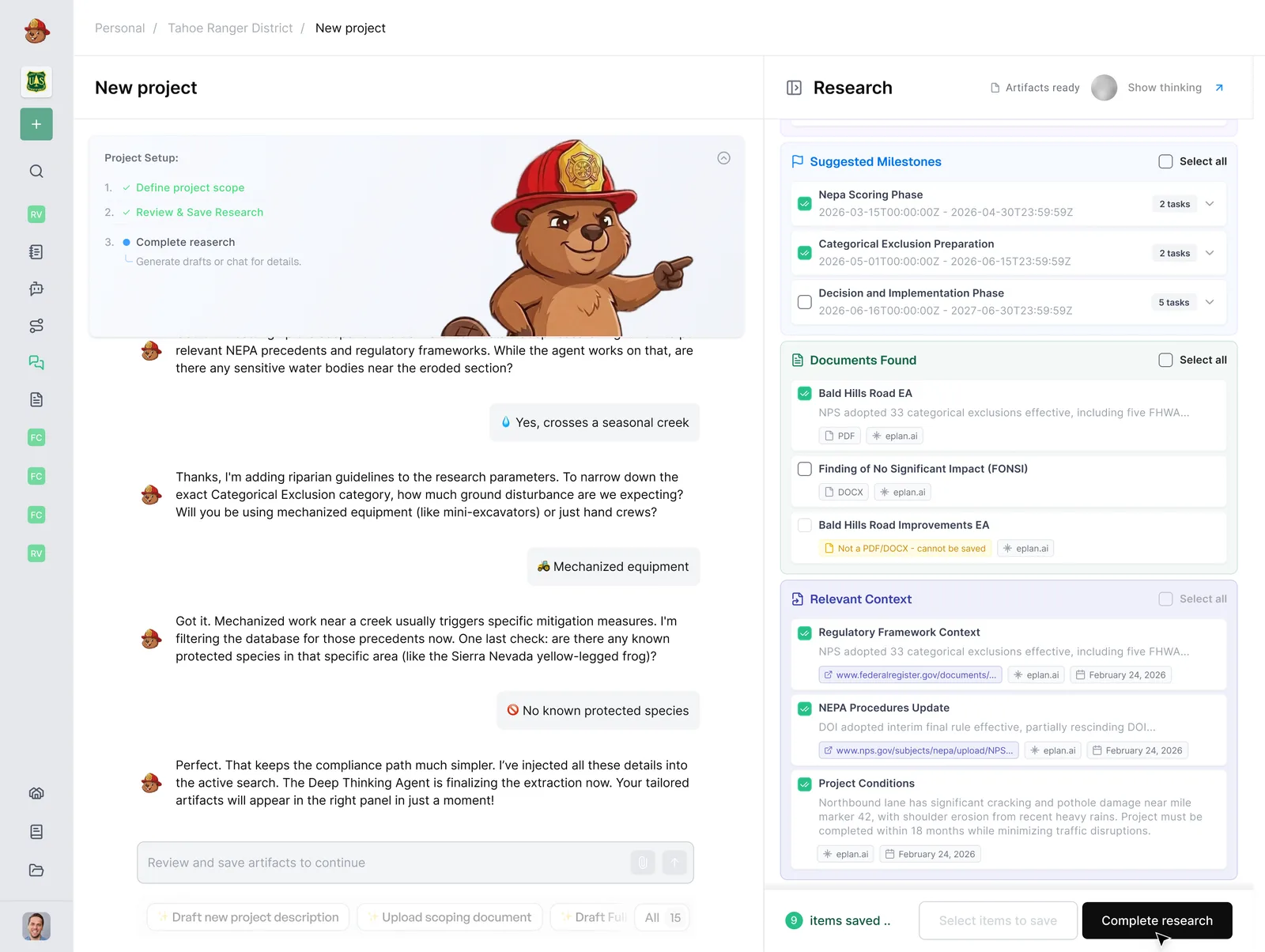
The core flow runs in three phases. The chat interviews the planner. A research agent works in the background, pulling real precedent projects and the right Categorical Exclusions. Only then does the workspace unlock document generation. The planner always sees what the agent found and why: chat on the left, project fields filling in on the right as it goes.
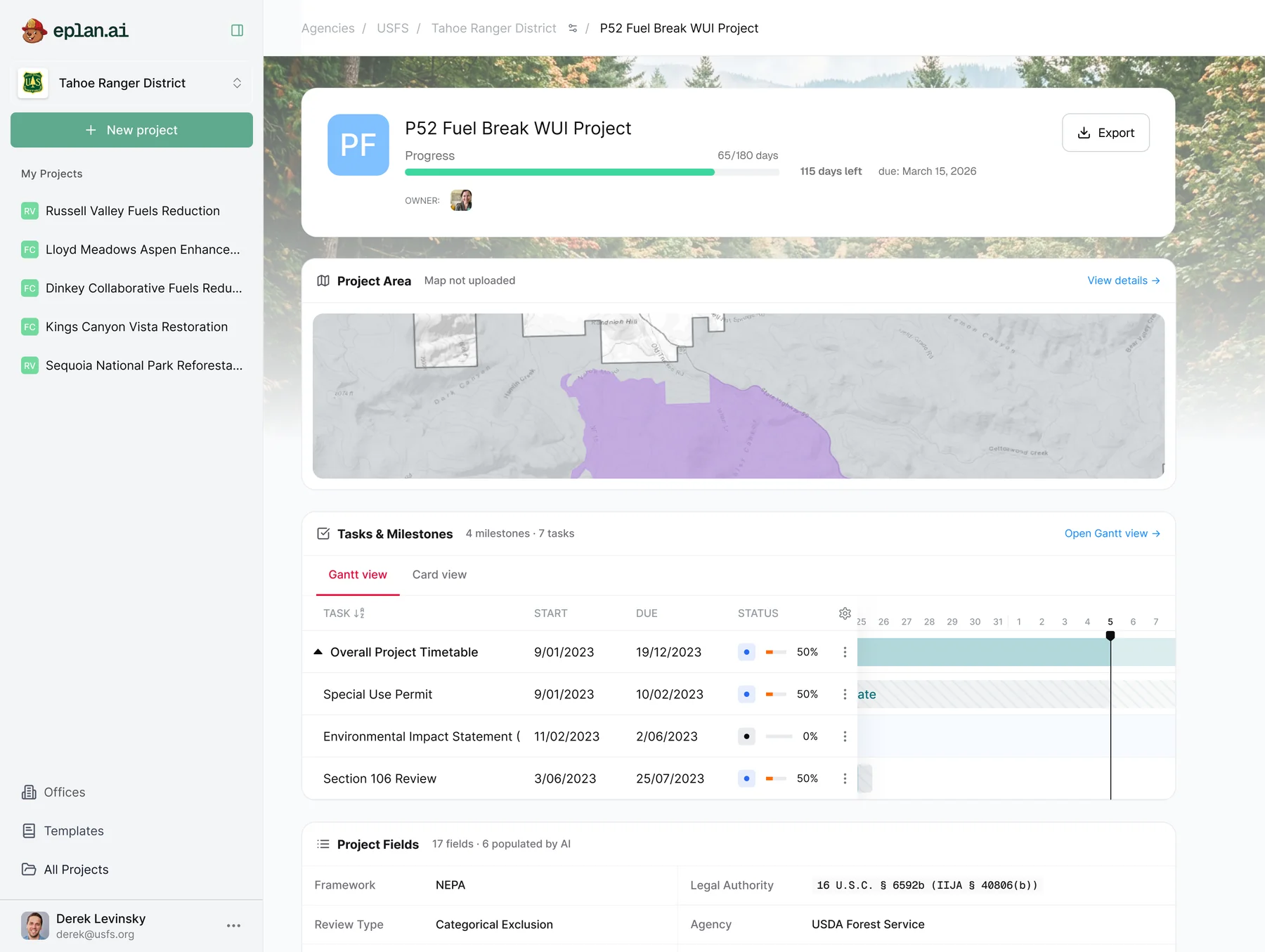
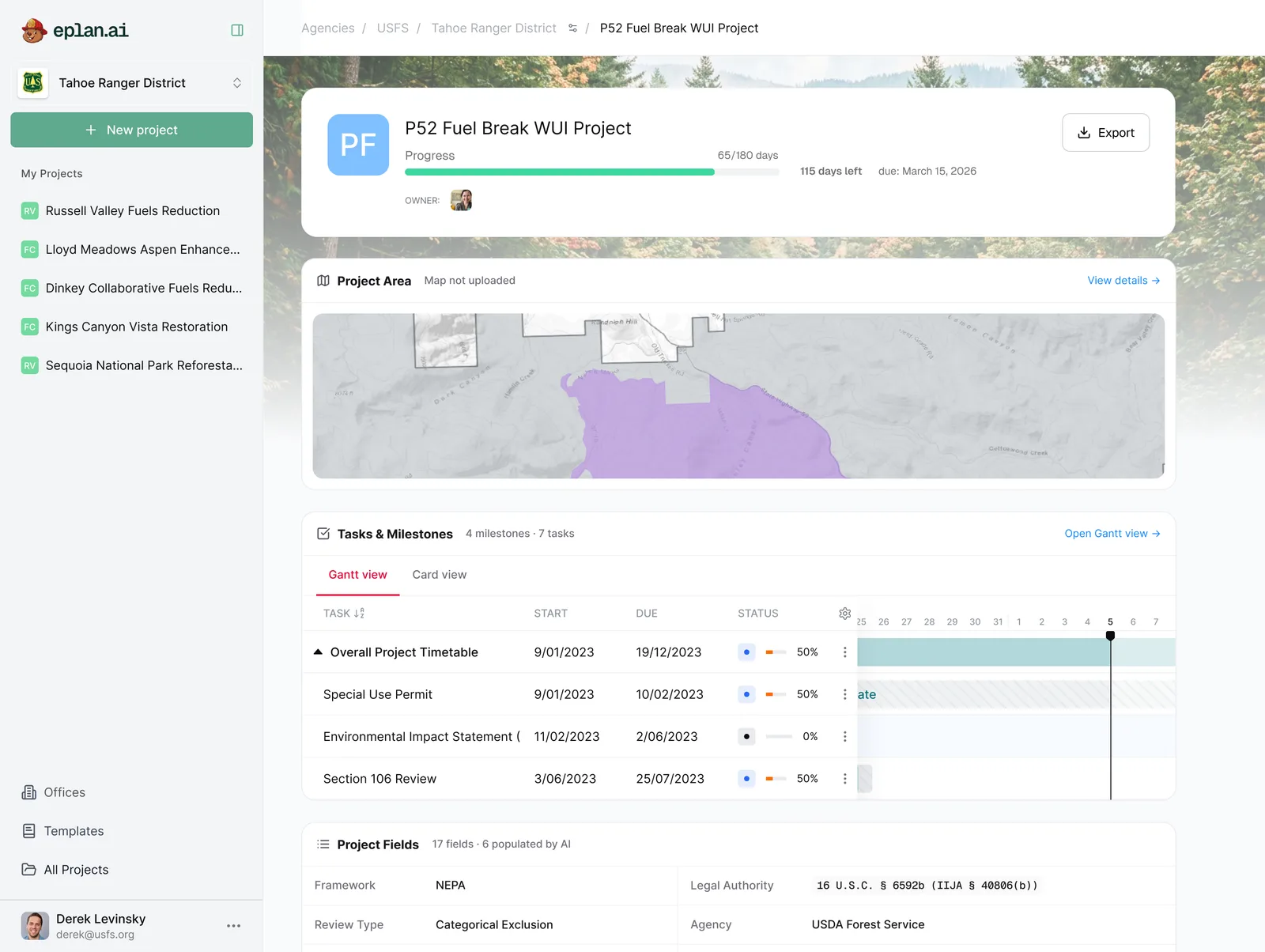
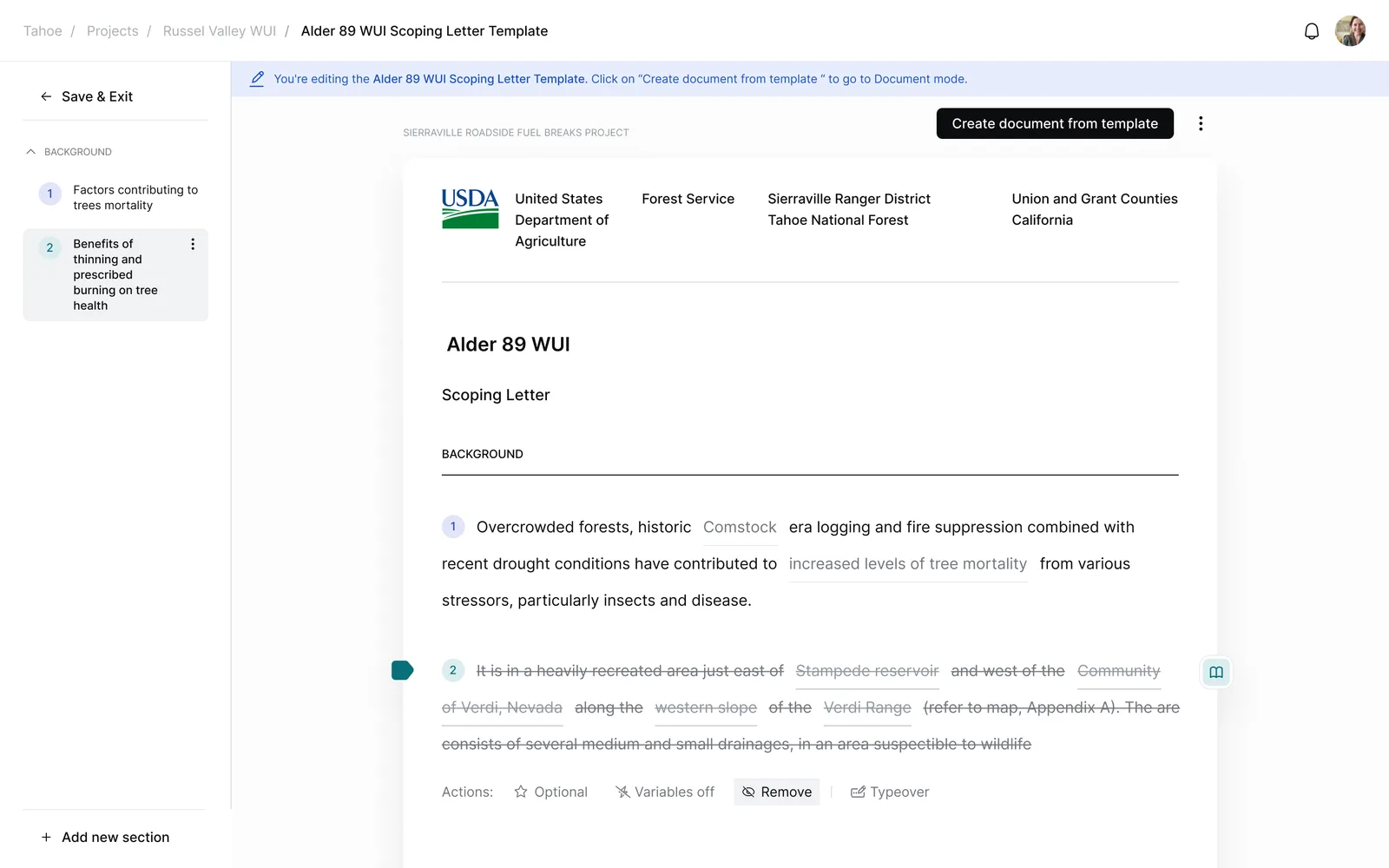
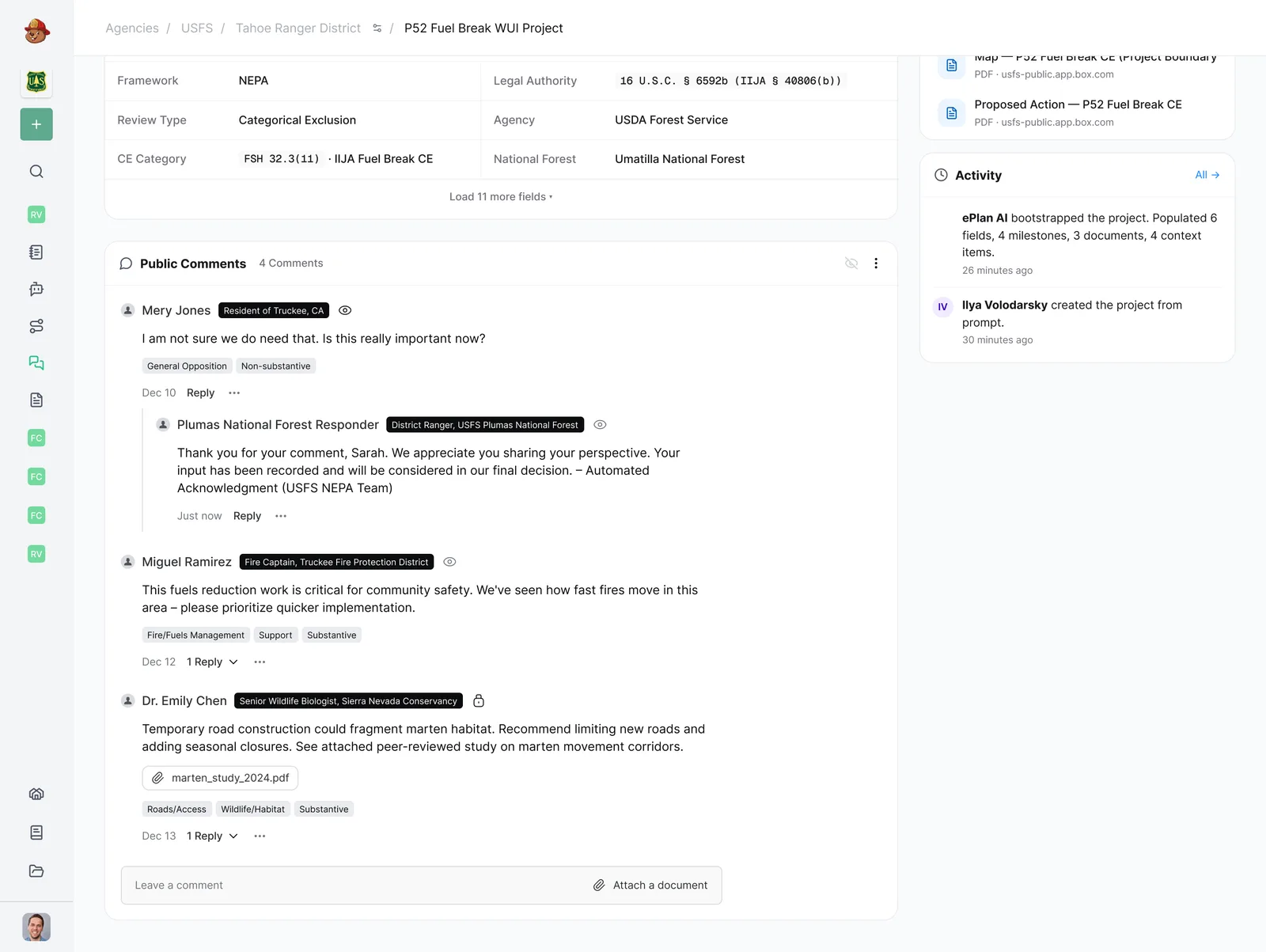
Around that core I designed the rest of the product. A project workspace on a keyboard-friendly Gantt chart with tasks and milestones. Task sheets where the agent drafts scoping letters, environmental assessments and decision memos, each with citations attached. A GIS map that renders uploaded shapefiles and tracks work unit by unit. A public portal for community comments. And a mobile app for fieldwork. All of it sits on a forest-green design system, organised the way the agencies are: organization, office, project.
Designing for trust
In a regulated field, the interface has to keep the AI's work auditable. Every generated document traces back to a real source. The agent's progress stays visible. Nothing gets submitted on its own; the planner decides. That constraint pulled most of the design decisions in the same direction.
Screens and flows
What I designed
Agentic project bootstrap
A guided chat and a research agent, side by side, that turn a rough idea into a scoped project with the right precedent, milestones and NEPA context already in place.
Document generation
Task sheets where the agent drafts scoping letters, environmental assessments and decision memos, each with suggested next actions and a trail back to its sources.
Timeline, milestones and GIS
A Gantt project view with separate owner and viewer states, plus a map that renders uploaded shapefiles and tracks progress unit by unit.
Mobile, offline-first
Project, task and unit screens for the field. Planners can download maps, work with no signal, and the app resolves edit conflicts when it syncs back.
Keywords
Next project
Geoforge · Map workspace for site power